
Photo Cleaner: Clean Up Phone
•
Know exactly what is filling your phone before you delete anything
•
Clear the space you need without second-guessing every file
•
Get back to shooting, downloading and updating right away

Free space fast — and keep everything that matters:
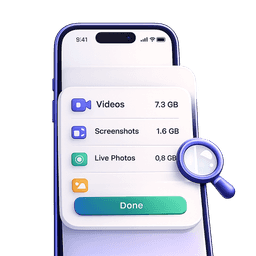
"I need space now, but I am scared to delete the wrong thing."
•
See a full breakdown of what is safe to remove before touching anything
•
Every file is yours to review — nothing disappears without your say-so

"I want gigabytes back, not an afternoon of digging."
•
One scan surfaces the biggest space eaters sorted by size
•
Go from full storage to free space in a few minutes, not hours

"My recent photos and favorites must stay untouched."
•
Exclude files from the last 7 or 30 days with a single toggle
•
Favorites are protected automatically — they never enter the cleanup

"I want this solved once and for all."
•
Optional alerts let you know before storage runs low again
•
A fresh scan and cleanup takes seconds the next time around
Does this sound like you?
You want to delete files but freeze because you might remove something important
😢
999
"Storage Almost Full" appears right when you need to take a photo
😢
999
An app update or new download is stuck because there is no room left
😢
999
You have years of screen recordings and screenshots you completely forgot about
😢
999
Sorting the gallery by hand feels endless and you never finish
😢
999
You have tried other cleaners and did not trust what they were about to remove
😢
999
You need space before a trip, event or big download — and you need it today
😢
999
You want a clear answer: what can go and what should stay
😢
999
Here is how you get your space back — confidently
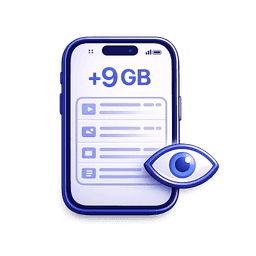
See exactly what can go
•
A quick scan shows reclaimable GB broken down by category
•
Heavy videos, screencasts, Live Photos and screenshots — all visible before you act

Protect what you care about first
•
Exclude recent files and favorites before cleanup even starts
•
Review the full list for any category — keep full control over every file

Clear space in one confident move
•
Add files to a basket, review the total, then confirm in one tap
•
Removed files go to system recovery first — nothing is gone for good instantly

Keep it from filling up again
•
Optional low-storage alerts so you never hit the wall again
•
Re-scan and clear in seconds whenever you need the space back
Still on the fence?
Wanted to free space but did not know what was safe to delete?
"I could finally see exactly what was eating my storage. Freed 11 GB and kept every photo I cared about."

James K.
Burned by a cleaner that removed things without asking?
"Nothing moved until I reviewed it and confirmed. First time I actually trusted a cleaner app."

Sophie L.
Phone full right when you needed to record something?
"Scanned, saw the breakdown, cleared the biggest files. Back to recording in under three minutes."

Leo W.
Stuck choosing between speed and keeping important files?
"Excluded my last 30 days and favorites, then cleared everything else. Fast and zero regrets."

Amara O.